How to Preheat a Nuwave Air Fryer: Boost Cooking Time and Crispness
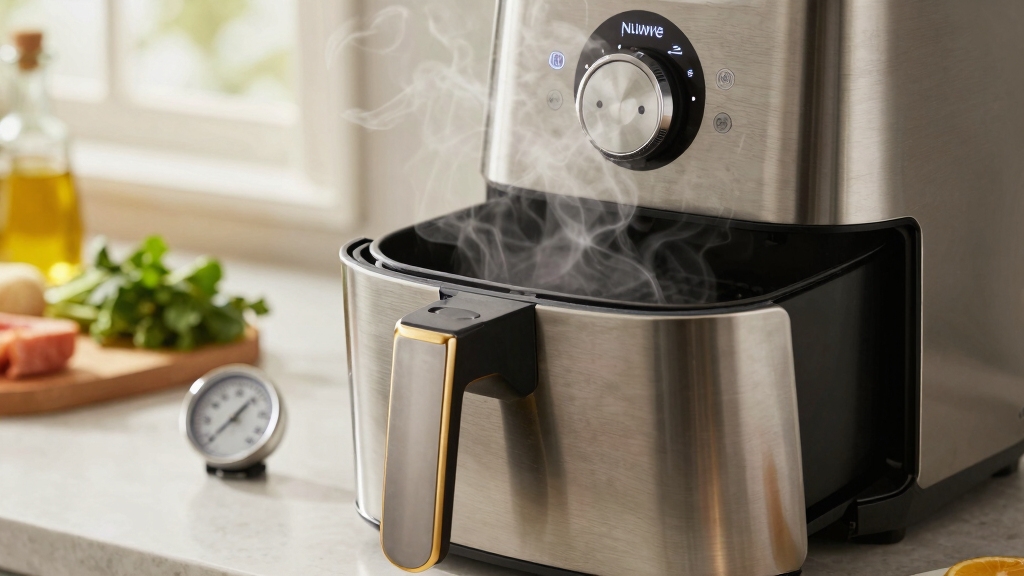
To preheat your NuWave air fryer, first set the desired temperature using the Temp/Time controls.
Run the unit empty for 3 to 5 minutes until it signals readiness, usually with a beep or “ready” display.
This ensures the basket reaches the correct temperature, eliminates heat-up delay, promotes even cooking, and improves crispness.
If your model lacks a preheat button, manually preheat by running it empty, then add food promptly.
Explore more tips to optimize cooking times and results.
Key Takeaways
- Set the air fryer to the desired recipe temperature using the Temp/Time controls.
- Run the air fryer empty for 3–5 minutes to manually preheat if no dedicated preheat button exists.
- Wait for the unit to indicate readiness with a beep or display message before adding food.
- Add food only after preheating to ensure even cooking and consistent heat distribution.
- If food is added too early, press Start twice or restart to resume proper cooking.
Preheat Steps and Benefits for NuWave Air Fryers
| Step | Action | Duration | Benefit |
|---|---|---|---|
| 1 | Set Temperature using the Temp/Time controls to your recipe’s desired heat level. | Instant | Ensures precise heat for optimal cooking and crispness. |
| 2 | Start Preheat Cycle by pressing the Preheat button or running the fryer empty if no button exists. | 3 to 5 minutes | Allows the basket to reach target temperature for even cooking. |
| 3 | Wait for Ready Signal — beep or “ready” display indication before adding food. | Momentary | Prevents heat loss and maintains consistent airflow for better texture. |
| 4 | Load Food in a single, even layer to promote proper air circulation. | Immediately after preheat | Maximizes browning and crispness while reducing cooking time. |
| 5 | Restart Cooking if food was added too early by pressing Start twice or resetting. | As needed | Ensures peak heat and even doneness throughout cooking. |
When and Why Should You Always Preheat Your Air Fryer?
Although it might seem like an extra step, you should always preheat your NuWave air fryer to guarantee peak cooking results. Preheating ensures the basket reaches the desired temperature before food is added, promoting even cooking and faster heat penetration.
This step improves browning and crisping, especially for items like French fries, chicken wings, onion rings, and frozen appetizers. Skipping preheat can lead to uneven texture and longer cooking times.
Additionally, some NuWave models automatically preheat to optimize performance. By preheating, you create a consistent cooking environment that helps maintain moisture balance and prevents sogginess.
Ultimately, this simple practice enhances flavor, texture, and overall quality, making it a vital part of preparing your favorite air-fried dishes. Preheating also uses a small burst of energy upfront, which balances overall energy efficiency and consistent results.
How to Preheat Your NuWave Air Fryer Step-by-Step?
To preheat your NuWave air fryer, start by setting the temperature to what your recipe calls for. It’s super simple!
Once you’ve got that dialed in, go ahead and kick off the preheat cycle.
Just let the air fryer work its magic and reach that target temperature. Timing is key here—make sure you only load your food in once the preheat phase wraps up.
This way, you’ll ensure even cooking and get the best results every time!
For faster cooking starts, take advantage of the fast preheat feature found in many modern air fryers.
Setting Temperature Correctly
When setting the temperature correctly for preheating your NuWave air fryer, start by selecting the precise cooking temperature that matches your recipe or food type.
Use the Temp/Time controls to dial in the exact heat level recommended, as this guarantees peak cooking results.
Setting an accurate temperature helps the air fryer reach the desired heat quickly and maintains consistent airflow for even cooking.
Avoid guessing or defaulting to a standard temperature since different foods require specific heat settings for the best texture and doneness.
For example, crispier items like fries or wings benefit from higher temperatures, while delicate foods might require moderate heat.
Confirming the correct temperature before preheating sets the stage for a successful cooking process and enhances browning and crisping later on.
Ensuring stable, precise temperature control is key to achieving consistent cooking outcomes with your air fryer.
Starting Preheat Cycle
After setting the correct temperature for your NuWave air fryer, you’re ready to begin the preheat cycle.
For Brio models, press the Preheat button, adjust the temperature with the Temp/Time controls, then press Start/Pause to initiate preheating. The display may show “ready” or beep once the target temperature is reached.
For other models, simply set the temp and allow the unit to run empty for 3 to 5 minutes. Remember, the preheat time doesn’t count toward cooking.
Preheating helps activate the advanced airflow technology that ensures even heat distribution during cooking.
Here’s a quick overview:
| Step | Action |
|---|---|
| 1. Set Temperature | Use Temp/Time controls |
| 2. Start Preheat Cycle | Press Preheat then Start/Pause |
| 3. Wait for Ready | Display shows “ready” or beeps |
Preheating guarantees even cooking and better crisping.
Loading Food Timing
Typically, you’ll want to load your food only once the air fryer signals that it has reached the target temperature. For NuWave Brio models, this signal might be a beep or a “ready” display message.
Adding food too early can cause uneven cooking and may require restarting the cooking cycle by pressing Start twice. Once the preheat phase completes, open the basket promptly to avoid heat loss.
Place your food in a single, even layer to guarantee proper airflow and crisping. Avoid overcrowding, as this hinders browning and extends cooking time.
Some models allow about a five-minute window after preheat to load food before restarting is necessary. Following these timing guidelines helps you achieve optimal cooking results with your NuWave air fryer.
Using an air fryer with adjustable temperature controls up to 400°F ensures versatile cooking and consistent crispiness during and after preheating.
How to Use the Brio Model’s Preheat Button?
Although the preheat process may seem straightforward, using the Brio model’s dedicated Preheat button guarantees you attain the ideal cooking temperature efficiently.
Start by pressing the Preheat button, then set your desired temperature using the Temp/Time controls. Hit Start/Pause to initiate preheating, and the unit will heat without counting down cooking time.
The display may show “ready” or beep when the target temperature is reached, signaling it’s time to add your food. Some models allow about five minutes to load food before you need to restart.
If you load food too early, you might need to press Start twice to resume cooking. This method assures peak heat for even cooking and improved browning, especially for crisp-finish foods like fries or wings.
For the best results, consider using an air fryer basket with a mesh design that promotes 360-degree airflow to ensure even cooking during and after preheating.
No Preheat Setting? What to Do?
If your NuWave air fryer doesn’t have a preheat setting, no worries! You can still get it ready for cooking by simply setting the desired temperature and letting it run empty for about 3 to 5 minutes.
Just a heads up, though: since the unit starts cold, you might need to tweak your cooking times a bit. It’s a good idea to keep an eye on your food while it’s cooking. This way, you can nail down the perfect timing for even cooking and get those delicious results you’re after!
For best results, make sure to clean your air fryer basket regularly to maintain optimal performance and cooking consistency.
Manual Preheat Steps
Start by setting your NuWave air fryer to the desired cooking temperature, even if your model lacks a dedicated preheat button.
Then, run the air fryer empty for 3 to 5 minutes to allow it to reach the set temperature.
Preheating your air fryer helps stabilize the temperature and promotes even heat distribution for better cooking results.
Once preheated, place your food inside for peak cooking results. This manual preheat method guarantees even cooking and improves browning and crisping.
| Step | Action | Duration |
|---|---|---|
| 1 | Set temperature | Instant |
| 2 | Run air fryer empty | 3–5 minutes |
| 3 | Insert food | Immediately after preheat |
| 4 | Start cooking | As per recipe |
Following these steps helps achieve better texture and quicker cooking times.
Timing Without Preheat
Cooking without preheating your NuWave air fryer means adjusting your timing to compensate for the initial warming phase.
Since the unit starts cold, food will cook more slowly at first, requiring a longer overall time to reach the desired doneness.
To manage this, consider these tips:
Add a few extra minutes to your standard cooking time to allow the air fryer to reach temperature.
Avoid opening the basket frequently, which can extend cooking time further.
Monitor food closely toward the end to prevent overcooking once the unit is fully heated.
For best results, shake or flip food midway to promote even cooking in the cooler initial phase.
Without a preheat function, these adjustments help make certain your food cooks thoroughly and evenly despite the air fryer starting cold.
Using an air fryer with precise temperature control can help minimize the impact of skipping the preheat step.
Adjusting Cooking Times
When your NuWave air fryer lacks a dedicated preheat setting, you’ll need to modify cooking times to guarantee even and thorough results.
Start by adding an extra 3 to 5 minutes to the recommended cooking time since the air fryer heats up gradually. This compensates for the initial warming phase and ensures your food cooks fully.
Monitor your food closely the first few times to avoid overcooking or undercooking. You may also want to shake or flip the food halfway through cooking to promote even heat distribution.
Adjusting times based on the food’s size and moisture content will further refine results. By carefully managing cooking duration without preheating, you can still achieve crisp, evenly cooked meals with your NuWave air fryer.
Using convection and airflow design techniques can help optimize cooking performance even without a preheat function.
How NuWave Preheating Affects Cooking Time and Crispness?
Although preheating might seem like a small step, it markedly impacts both cooking time and the crispness of your food in a NuWave air fryer.
When you preheat, the basket reaches the target temperature before adding food. This means cooking starts immediately at the right heat level.
This reduces the overall cooking time and helps your food brown evenly. Crispness improves because preheating minimizes moisture buildup and promotes better air circulation.
Here’s how preheating affects your cooking:
Speeds up cook time by eliminating heat-up delay.
Enhances browning and crisp texture on foods like fries and wings.
Guarantees even heat distribution for consistent results.
Reduces sogginess by starting with a hot, dry basket.
Using preheat wisely helps you get the best texture and timing every time.
Tips for Better Cooking Before and After Preheating
Maximizing the benefits of preheating starts with the steps you take before and after this phase.
Before preheating, avoid overcrowding the basket. Arrange food in a single, even layer to guarantee proper airflow and even cooking.
Pat food dry to reduce excess moisture, which helps achieve a crispier finish. During cooking, shake the basket periodically to promote uniform browning.
After preheating, add food promptly within the indicated window to maintain optimal temperature. If you add food too early, you may need to restart or press Start twice on some models.
Maintaining these practices helps you get the most consistent and efficient results from your NuWave air fryer. This enhances texture and reduces cooking time while preserving even heat distribution.
Frequently Asked Questions
Can I Preheat My Nuwave Air Fryer With the Basket Inside?
Yes, you can preheat your NuWave air fryer with the basket inside, but make sure the basket is empty during preheating.
Running it empty allows the air fryer to reach the desired temperature efficiently. Adding food only after preheating helps with even cooking and better browning.
Avoid overcrowding the basket, and arrange food in a single layer once you add it after preheat for ideal results.
Does Preheating Consume Significantly More Electricity?
Preheating your NuWave air fryer uses only about 5% more electricity compared to cooking without preheating, so it’s not a significant increase.
You’ll benefit from faster, more even cooking that can actually save energy overall by shortening cook times.
If you’re concerned about electricity, preheating briefly, around 3 to 5 minutes, strikes a good balance between efficiency and performance without spiking your energy use.
How Do I Disable Auto-Preheat on My Nuwave Brio?
To disable auto-preheat on your NuWave Brio, access the settings menu on your device.
Look for the auto-preheat option, which is usually enabled by default.
Use the Temp/Time controls or arrow buttons to toggle it off.
Confirm your selection by pressing Start or OK.
If you don’t see this option, consult your model’s manual, as some versions require holding down specific buttons simultaneously to disable auto-preheat.
What if My Air Fryer Doesn’T Beep When Preheated?
If your air fryer doesn’t beep when preheated, don’t worry. It might simply be a model that lacks an audible signal.
Instead, watch the display closely; many NuWave models show “ready” or a similar message when preheating finishes.
If there’s no indicator, time the preheat for about 3 to 5 minutes at your set temperature.
Can I Preheat Using Quick Start Mode?
You generally can’t preheat using Quick Start mode because it skips the separate preheat phase and begins cooking immediately.
Quick Start is designed for convenience, so it doesn’t give the air fryer time to reach the set temperature before adding food.
If you want the benefits of preheating, like better crisping and even cooking, you should use the manual preheat function instead, following your model’s specific instructions.
Don’t Skip It: Why Preheating Your NuWave Air Fryer Matters
Now that you know how to preheat your NuWave air fryer, you’re set to achieve perfectly crispy results every time.
Think of preheating like warming up a trusty old steam engine before a long journey. It guarantees even cooking and reduces wait time.
Even if your model lacks a preheat button, simple workarounds can help. By mastering preheating, you’ll elevate your cooking game, making every meal faster and more delicious.